How to Fly a Drone Like a PRO [2024 Guide]
Here's how to fly a drone like a pro: everything you need to know to master the techniques of flying your quadcopter.
By Elite Radio Control teamUpdated 17 min read
Part of the guide: Drones
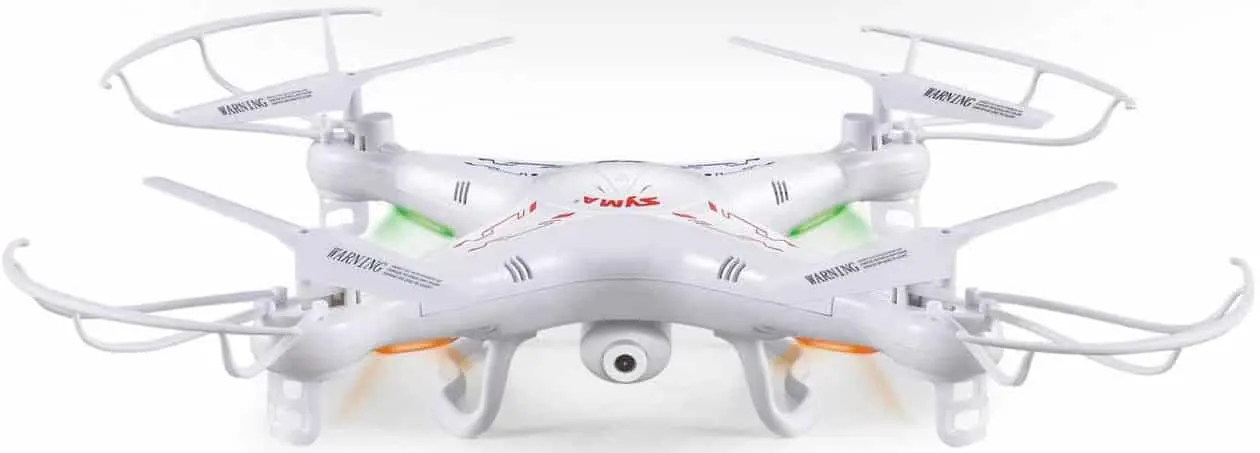
Let’s start at the beginning, which is getting your first quadcopter, better known as a drone. If you already have one and know the basic controls, you can skip this part and move on to the next sections to learn how to fly a drone like a pro.
If you’ve already bought a drone or plan to soon, you need to know the basic flying rules so you get as few scares as possible. That said, crashes and bumps are normal when you start flying these machines.
What you’ll find in this guide
This guide walks you step by step through how to start flying a drone and other kinds of quadcopters, as these machines are also called. As we always advise, follow the safety rules where you live and the laws that apply in each area, since there are places where flying drones is banned, or flying at night is, and so on.
There’s no doubt that enthusiasm for these flying machines has grown a lot lately.
So if you’re one of those fans and can’t wait to start flying, in this post you’ll learn how to fly a drone with the simplest, most practical tips.
Keep reading and explore the world of drones without fear. We’ll guide you step by step through this adventure so you can enjoy it to the fullest.
How to fly a drone: first steps
If you still haven’t decided which drone to buy, we suggest starting with a basic model like the Syma X5C, which comes with everything you need to start flying and holds up pretty well to crashes.
There are several options for this model, but we recommend getting it with several swappable batteries. And if possible, without the camera, since it isn’t very good and after using it for a while you end up ditching it.
This model costs around $60 and is easy to find, since it’s one of the most popular models on the market.
This is just an example: feel free to choose whichever one best fits your needs.
I can imagine the feeling of having your first drone in its brand-new box: you can’t wait to take it out and start flying.
But first, I recommend reading the instruction manual. I know you probably think it’s unnecessary, as with most other electronics. But in this case it’s useful to learn what features the drone has and what safety precautions to take before you start flying it.
We also recommend playing around with the transmitter a bit so you get familiar with its sticks and what each one does.
Your quadcopter’s transmitter
As we know, a drone is a UAV flown remotely with a transmitter. That’s why, if you know your transmitter’s functions and handle them well, you’re already halfway through what you need to learn, and before long you’ll enjoy the freedom of flying your quadcopter with confidence and safety.
In the photo below you can see what each stick and button does. They’re similar on all kinds of drone transmitters.
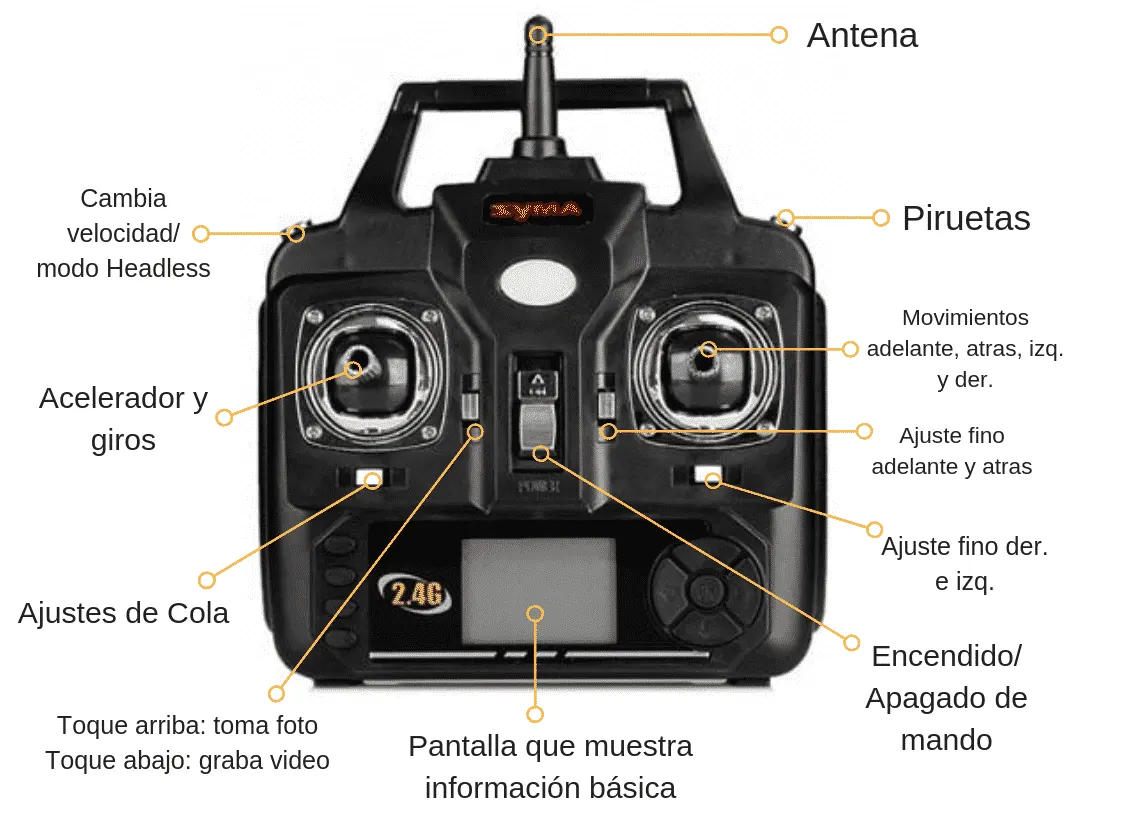
How an RC transmitter works
Here’s a basic list of the parts of a drone transmitter and what each one is for.
- Speed and Headless mode button: with a light touch you can change your drone’s speed in mid-flight.
- Throttle: lets you climb or descend while you fly. In practice, the more throttle you give it, the higher your drone climbs. A tip: try to keep it at one spot while you’re learning to fly; you can go higher later on.
- Built-in camera: the button to the right of the throttle controls the camera, if your drone has one. With this button you can take photos or video.
- On/Off: the center button turns the transmitter on or off.
- Flips: you’ll use this to make your quadcopter flip in the air and do 360-degree turns. Hold it down until it beeps and then move the right stick in any direction.
- Right stick: these are the controls you’ll use the most. With the drone stable in the air, it lets you move it forward and backward, as well as left and right.
- Trim buttons: with small taps you can move your drone forward and backward precisely, something that’s hard to do with the sticks. The same goes for left and right movements. Above all, they help you correct your drone’s position when it drifts as you climb with the throttle: just keep tapping in the opposite direction to the drift until it’s corrected.
Headless mode on a quadcopter
When Headless mode is on, your drone’s orientation doesn’t matter, because it moves exactly where you tell it to. In practice, when you pull the stick back, your drone will always come toward you. This feature makes learning much easier for people who are just starting to fly.
When Headless mode is off, or the model doesn’t have it, and the drone is facing you, the controls are reversed. That is:
– Push the right stick to the right and the drone goes to its right, which is your left.
– Push the right stick to the left and the drone goes to its left, which is your right.
– Pull the right stick down and the drone moves away from you; push it up and the drone comes toward you.
So pay close attention to the drone’s orientation, because it decides how you need to move the controls.
A look at the parts of a quadcopter
Before you start flying your quadcopter, it’s important to know what parts it’s made of. If something fails, or after a crash, you’ll want to diagnose and fix the problem as soon as possible.
It’s also important to know what each of the models you’re going to fly can do.
These are the most important parts of any quadcopter:
- The frame
- Motors
- Electronic speed controller (ESC)
- Propellers or blades
- Flight controller board
- Radio receiver
- RC transmitter
- Battery and charger
A quadcopter’s frame
It holds all the other components. For a quadcopter, the classic shapes are X and +.
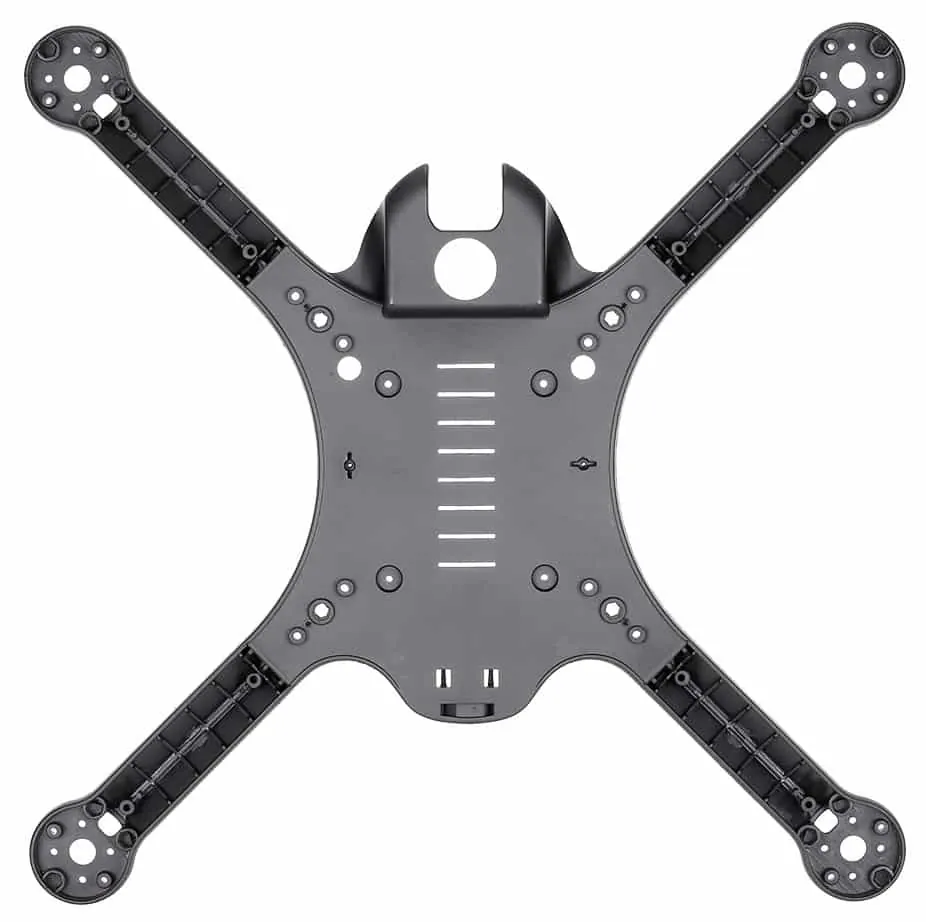
If you’re building your own model, think about the material you’ll use, since it affects how it flies.
Motors
They spin the propellers. A quadcopter uses four motors, hence the name. Each one spins its own propeller. There are also models with 6 rotors, commonly known as hexacopters.
Electronic speed controller (ESC)
This is the component that connects the motors and the battery. It sends a signal to the motors that tells them how fast to spin.
Depending on the moment, each motor may be spinning at a different speed. That’s what lets you maneuver and change direction. That’s why an ESC is a very important component in your drone.
Propellers or blades
Every quadcopter has four, and they determine which direction your drone flies or whether it stays in one place. Again, there are models with six propellers or more.
A drone’s flight controller board
This board runs the show. It reads the accelerometer and the gyroscope and controls how fast each motor spins.
The quadcopter’s radio receiver
It’s the antenna inside the quadcopter that talks to the RC transmitter. When you do something on the transmitter, the radio receiver passes those instructions on to the rest of the system.
RC transmitter
It’s what you use to send commands to your drone from a distance. It’s also called an RC radio or remote control. You’ll find many types and models, but the most recommended radios are the ones from Futaba.
The drone’s battery
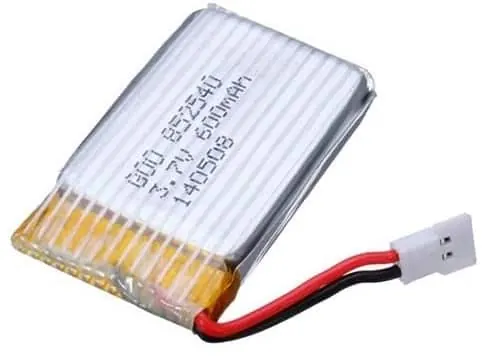
It’s your drone’s power source. It needs to be charged and discharged, because without a battery your quadcopter isn’t going anywhere.
Note: we recommend always carrying several batteries with you. That way you won’t have to wait for one to recharge before flying again.
Quadcopter preflight check
We recommend running a preflight checklist. This check will keep you and your quadcopter safe.
It also makes sure you don’t waste time fixing parts and getting things ready when you could be flying.
Here’s a checklist you can use before every flight:
Weather and flying site check
Here’s what to keep in mind before heading out to fly your drone outdoors.
- Check the chance of rain.
- Make sure wind speed is low.
- Visibility of at least 1,600 ft (500 m).
- If you want to fly at dawn or dusk, check what time they happen each day.
- Set up takeoff, landing and emergency areas.
- Check for possible electromagnetic interference.
- Make sure you’re clear of towers, power lines, buildings, trees and other obstructions.
- Make sure there are no people or animals around; set up a safety perimeter if needed.
- Talk through the flight maneuvers with anyone flying with you.
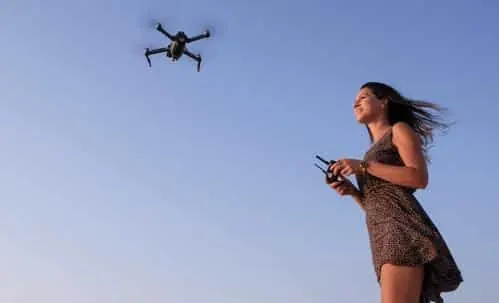
Quadcopter and system check
- The drone’s registration number must be clearly legible.
- Look for problems with its parts: frame, propellers, motors.
- Check for other issues: camera, transmitter, battery charge and so on.
- Remove the gimbal and lens covers (if it has them).
- Clean the camera lens with a microfiber cloth.
- Fit the propellers and battery and insert the SD card.
Powering on the drone
- Turn on the transmitter. Open the flight app if your drone uses a phone.
- Then turn on the drone.
- Check that the transmitter and the quadcopter connect.
- Point the transmitter antennas toward the sky.
- Check/calibrate the compass before every flight.
- Check the battery levels on the transmitter and the drone.
- Make sure the GPS has locked onto at least six satellites (if your model has GPS).
Drone takeoff
- Take off to eye level and hover for about 10–15 seconds.
- Look for any imbalance or irregular behavior.
- Listen for unusual sounds.
- Turn it and tilt it a little to test the control response and sensitivity.
- Check for electromagnetic interference or other software warnings.
- Do a final check to make sure the flying area is safe.
Your first flights with your drone
Little by little we’re getting to the moment you’ve been waiting for: flying your drone. If you follow the tips we’ve shared, you’ll master it without trouble and enjoy it safely.
First, it’s important to always know where the front of the drone is. If yours has Headless mode and you turn it on, you don’t need to. Otherwise, keep track of it at all times and always stand behind the quad (quadcopter) so you don’t get confused about direction (which always happens at the beginning).
Before you take off, it’s key to check the laws on drone use where you’re going to fly.
With a recreational model you probably won’t have any problems, but it’s always good to check first so you don’t take any risks.
Basic recommendations: fly in an open area, away from power lines, always keep the drone in sight and stay away from other people.
Taking off from the ground
It’s best to start flying your quadcopter at a controlled height, about 3 ft (1 m) up, or at eye level.
That said, try not to fly too low, to avoid “ground effect” (which happens when the air pushed down by the propellers bounces off the ground under the drone and destabilizes it).
Knowing how to land is also essential: remember that drones come down under gravity, so you should bring them down gently with the throttle. When it’s very close to the ground, give it a bit of throttle to soften the touchdown.
The first thing before takeoff
To lift your quadcopter into the air, the only control you need is the throttle.
Move the throttle (left stick) up very slowly, just enough for the propellers to start spinning. Then stop them by moving the left stick back down.
Repeat this several times until you’re comfortable with how sensitive the throttle is.
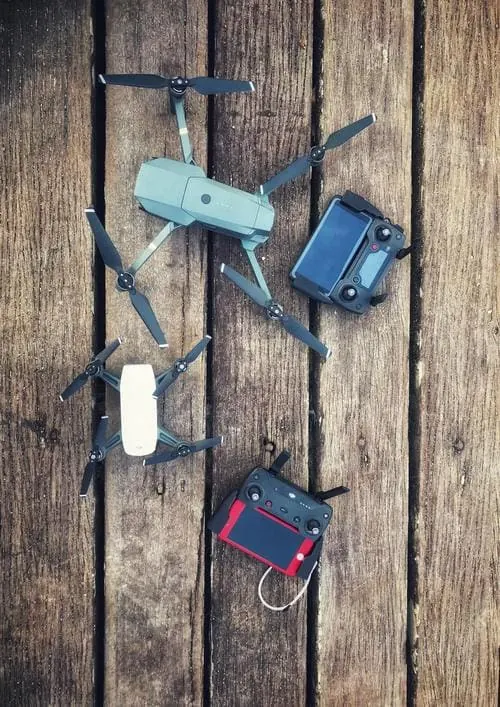
Slowly push the throttle a little further than before, until the drone lifts off the ground.
Then lower the throttle to zero and let the quadcopter land.
After doing this four or five times, you may also feel the drone trying to rotate left or right, or drift backward or forward.
If that happens without you moving the sticks, you can use the trim buttons shown in the transmitter picture. Tap them in the opposite direction to the drift.
Hovering and landing your drone
To hover your quadcopter, use the throttle to lift off the ground. Then make small corrections with the right stick to keep the quadcopter hovering in place.
You may also need to adjust the left trim slightly to keep it from rotating.
Use the throttle to lift the drone about 1.5 to 3 ft (half a meter to a meter) off the ground.
Keep making small corrections with the right stick (and the left one, if needed) to keep the drone hovering in position.
When you’re ready to land, start lowering the throttle slowly.
When the quadcopter is about 2 in (5 cm) off the ground, cut the throttle completely and let the UAV drop to the ground.
Again, repeat this until you’re comfortable hovering above the ground and landing gently.
Flying the quadcopter in different directions
To fly a quadcopter left, right, forward and backward, you’ll need to hold the throttle to keep it in the air. Then use the right stick to maneuver the quadcopter in the direction you want it to go.
- First, bring your quadcopter into a hover, as we saw above.
- Then push the right stick forward to fly about 6 ft (2 m) forward.
- Pull the right stick back to return it to where it started, a few feet back.
- Push the right stick to the left to move the drone about 6 ft (2 m) to the left.
- Bring it back to where it started, then fly it about 6 ft (2 m) to the right.
- If it starts to rotate, nudge the left stick left or right to keep it facing the same way.
(Tip: when you move in any direction, you’ll probably notice the drone losing altitude. To keep the quadcopter at the same height, push the throttle and give it more power every time you turn or move.)
Flying the quadcopter in a square pattern
You’ve already lifted off the ground and you know how to fly in the four basic directions with your quadcopter.
Now it’s time to combine all these skills and start flying patterns. This will help you get a feel for working the controls at the same time.
- To fly a square pattern, keep the quadcopter facing the same way you are the whole time.
- Push the right stick forward and fly forward about 6 ft (2 m). Then return the right stick to center and hold the drone in a hover.
- Next, push the right stick to the right and fly right about 6 ft (2 m), holding it in a hover for a few seconds.
- Pull the right stick back and fly backward about 6 ft (2 m). Then hold it in a hover for a few seconds, push the right stick to the left and bring the quadcopter back to where it started.
Congratulations, you’ve just flown a square. Keep doing it until you’re comfortable with this maneuver.
Now you can move on to the next pattern.
Flying circles with your drone
This is where you’ll improve your ability to work several controls at once while flying the drone.
As usual, use the throttle to take off. Then decide whether you want to fly clockwise or counterclockwise.
For this example, we’ll assume you’re flying clockwise (to the right).
- Keep the quadcopter facing the same way you are, and push the right stick up and to the right. This applies pitch and roll at the same time, and the quadcopter will start flying in a circle to the right.
- After a few feet, start moving the right stick further to the right to get more movement. This will start steering your drone to the right.
- After a few more feet, start moving the right stick diagonally toward the lower right, and keep circling the right stick until the drone gets back to where it started.
- Try changing direction and slowly circle the right stick to fly in a circle. If you notice the quadcopter starting to rotate and face different directions, correct it by nudging the left stick left or right.
Using the left stick to turn
To turn your quad, use the throttle to take off.
Once you’re in a comfortable hover, push the left stick to either side. This will rotate the quad in place.
Turn it 360 degrees. Then push the left stick the other way and turn it 360 degrees in the opposite direction.
Keep doing this until you’re comfortable with it.
Flying your drone smoothly
Flying a quad smoothly means turning and changing direction at the same time.
This takes a while to get used to, since the quadcopter will be facing different angles relative to where you’re standing, so you’ll have to pay close attention to how every stick movement affects the quadcopter’s flight.
- First, take off and hover.
- Turn your quad to a slight angle.
- Use the right stick to fly it left/right and forward/backward. You need to get used to flying the quadcopter while it’s facing another direction.
- Turn it to another angle and use the right stick to maneuver again.
- Keep doing this until you’re comfortable flying at different angles.
- To fly continuously, slowly push the right stick forward.
- As you push the right stick forward, push it slightly left or right at the same time.
- Fly in different directions by pushing the right stick forward (pitch) and adjusting it left and right, and use the left stick to change the direction the drone is facing.
- Then try adjusting the quadcopter’s height by moving the left stick forward and back (throttle).
Now you know how to fly a drone in continuous flight. Keep practicing until you can steer your quadcopter wherever you want.
Milestones to reach with your quadcopter
Use these milestones to stay organized while you learn.
They’ll help you see where you are and what you need to learn next.
- Learn how the quadcopter’s four main controls affect the drone’s movement.
- Understand the parts of your quadcopter and what each one does.
- Put together a preflight checklist and go through it before every takeoff.
- Understand the safety precautions.
- Use the throttle to lift off and make any corrections needed with the trim buttons.
- Get comfortable hovering and landing your quadcopter gently.
- Take off to a height of 3 ft (1 m) and land in the same spot.
- Take off to a height of 3 ft (1 m) and turn the drone around 180 degrees.
- Get comfortable flying your quadcopter left/right and forward/backward.
- Learn to fly a quadcopter in a square pattern and in circles.
- Learn to rotate and fly smoothly.
- Do all of the above, but at a height of 33 ft (10 m).
Things you should NOT do with your drone
Now you know how to fly a drone. But it’s just as important to know what not to do with it. Take note:
Battery: don’t let it drop below 20%. That’s very bad for batteries, so try never to go past that discharge level. Landing when the drone tells you to (by flashing its LEDs) is enough.
Flying on a low battery: as soon as the drone warns you the battery is low, land it and swap the battery. That way the battery lasts longer and your drone stays safe from crashes. We want to keep forced landings to a minimum 😊
Spare batteries: each battery lasts about 7–8 minutes (on the cheaper models), so your fun time is limited. If you have some extra batteries, say four or five, you can fly your drone for much longer.
Spinning the drone on its axis: avoid it, at least at first (unless it has Headless mode). You’ll avoid getting disoriented.
Flying the drone close to yourself or other people: you risk it falling on someone for whatever reason and hurting them.
Flying the drone in the wind: this one goes without saying.
Drone problems and solutions
The problems you may run into while learning how to fly a drone aren’t hard to solve. Again, use common sense.
To keep your drone from falling on you, always fly it at a distance that gives you time to react.
If you lose control of the drone, lower the throttle; if it’s flying low, let it drop, as a safety measure.
Drones are tough, and there are all kinds of spare parts that will get yours back in perfect shape if you crash.
Lost sight of your drone?
Don’t worry: fly it higher and try to spot it. If you manage to, and it has a “return to home” feature (highly recommended), turn it on and it will fly back to you or to the point you set for this feature.
If you can’t find it, DON’T TURN OFF THE TRANSMITTER. Walk in the direction the drone was heading and give the throttle small blips to try to hear the propellers.
Resetting the quadcopter
Finally, a very handy tip: the “reset” function can get your drone working properly again if it starts acting strangely, especially after a hard crash.
Usually you trigger this function by holding both sticks in the bottom right or bottom left corner at the same time for 2 seconds. When the lights flash, the drone has been reset.
We hope you enjoyed this post. Feel free to leave us a comment below.
You can also follow us on social media to keep up with all the news from the world of drones.
Related guides
Drones
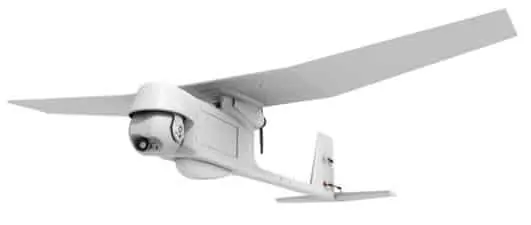
What Is a UAV? Definition and Types
A UAV is an unmanned aerial vehicle: an aircraft with no one on board that can be flown remotely or fly autonomously.
3 min read
Drones
The Little One in the Family: the DJI Tello Drone
Meet the Tello drone, built with DJI technology. It's an entry-level model, but it offers great specs that we'll go through here.
3 min read
Drones
Hexacopters: 6-Rotor Drones
Here's everything you need to know about 6-rotor drones and their pros and cons compared with classic four-rotor drones.
2 min read
RC aircraft
RC Flight Simulators to Practice at Home
Here are the RC flight simulators you can choose from to start flying at home, without having to crash a real model.
3 min read