How to Build an RC Car With Arduino
Learn how to build your own RC car with Arduino and have fun driving it by remote control. Don't miss this tutorial!
By Elite Radio Control teamUpdated 5 min read
Part of the guide: RC workshop: building, maintenance and painting
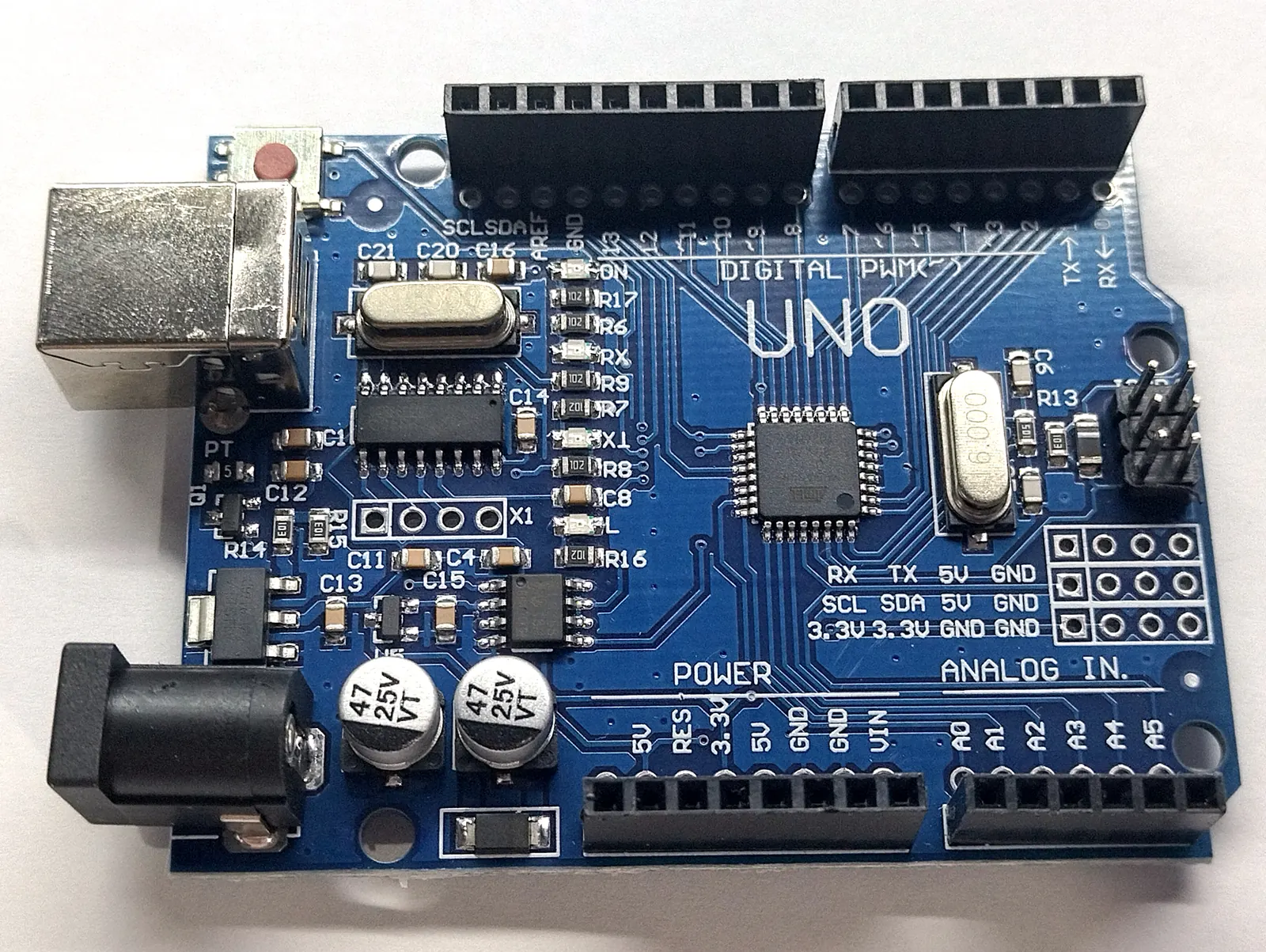
Building an RC Car With Arduino
Have you ever wanted to build an RC car but didn’t have the know-how to do it? Don’t worry! With Arduino, now you can. Arduino is a free, open-source hardware platform that lets you create a huge variety of projects.
In this guide, we’ll walk you through the steps to build an RC car with Arduino.
What Is Arduino?
Arduino is a free, open-source hardware platform used to create electronics projects. It’s designed so beginners can work with it easily. The platform consists of a printed circuit board with a microcontroller, some connectors and a variety of electronic components.
What Do You Need?
Before you start, it’s important to have all the components you need to build an RC car with Arduino. Here’s a list of the materials you’ll need:
- Arduino board
- DC motors
- Motor driver
- Battery
- Servo
- Wires
- Control box
- Voltage regulator
Steps to Build the RC Car With Arduino
Step 1: Prepare the Arduino Board
First, you’ll need to prepare the Arduino board. This means connecting all the components to it: the DC motors, the motor driver, the battery, the servo, the voltage regulator and the wires.
Step 2: Program the Arduino Board
Once all the components are connected to the Arduino board, you’ll need to program it. You can do this with the Arduino programming language. You’ll need to write the code that controls the motors, the servo and the other components.
Step 3: Add the Control Box
Once the Arduino board is programmed, you’ll need to add a control box. This box will have a remote control that you’ll use to drive the car.
Step 4: Assemble the Car
Once all the components are ready, you’ll need to assemble the car. This means connecting the DC motors to the motor driver, connecting the servo to the Arduino board and connecting the motor driver to the Arduino board.
Step 5: Test It
Once everything is assembled, you can test the car. This means connecting the battery to the Arduino board and making sure all the components work as expected. If everything checks out, you can enjoy your Arduino-built RC car.
We hope you enjoyed building your RC car with Arduino! If you have any questions, don’t hesitate to get in touch.
How do you program the Arduino to control the RC car?
To program the Arduino to control the RC car, first connect the components, such as the servos and the motor, to the Arduino with wires. Then write the code needed to control the servos and the motor.
The code should include instructions to drive the RC car forward and backward and to turn left and right. It should also include instructions to control the speed.
Once the code is written, upload it to the Arduino so the RC car can be controlled.
What are the advantages of using an Arduino to build an RC car?
-
It’s easy to use: you can program the Arduino to perform specific tasks, and it’s an ideal platform for beginners.
-
It’s versatile: you can add different sensors, modules, motors and so on to improve what your RC car can do. If you’d rather start with a ready-made model, see our guide on which RC car to buy.
-
It’s affordable: an Arduino costs much less than a control board for a traditional RC car.
-
It’s tough: the Arduino is a robust platform and can be used to build a crash-resistant RC car.
-
It’s flexible: you can use the Arduino to program a variety of different behaviors for the RC car.
How do you connect the different components to build the RC car?
To connect the components of an RC car, first you need the parts the car requires, such as the chassis, the motors, the battery, the remote control, the servos, the tires and so on. Then connect each component to the car. There are several ways to do this, depending on the manufacturer and the model.
For example, some RC cars have a servo connection for hooking the servo up to the chassis. You do this by connecting the servo’s plug to the chassis connector with a wire. Other RC cars may have a more direct connection between the servo and the chassis.
The car’s motor usually connects to the chassis through a motor connection. You do this by connecting the motor’s plug to the chassis connector with a wire.
Once the servos and the motor are connected to the chassis, connect the battery. You do this by connecting the battery’s plug to the chassis connector with a wire.
Finally, connect the remote control receiver to the chassis. You do this by connecting the receiver’s plug to the chassis connector with a wire.
Once all the components are connected, your RC car is ready to run.
What do you need to build an RC car with Arduino?
To build an RC car with Arduino, you’ll need the following materials:
- Arduino (such as an Arduino Uno or Mega)
- DC motors (2)
- Lithium battery (2 cells)
- Jumper wires
- RC car chassis
- Wheels
- Remote control (it can be an infrared remote or a wireless remote)
- Batteries for the remote control
- Wireless receiver module (if you use a wireless remote)
- Battery protection circuit
- Capacitors
- Resistors
- Printed circuit board
- Connectors
- Solder
What resources do you need to develop an RC car with Arduino?
To develop an RC car with Arduino, you’ll need the following resources:
- Arduino board: the Arduino is the core of the project and is needed to control the RC car’s components.
- DC motors: these motors are needed to move the car.
- Battery: the battery powers the RC car’s components.
- Remote control: the remote control is needed to control the RC car’s movement.
- Electronic components: you’ll need some electronic components to connect everything together, such as resistors, capacitors, diodes and so on.
- Wires: the wires connect the electronic components to each other.
- Tools: you’ll need some RC tools to put the RC car together, such as screwdrivers, pliers and so on.
Related guides
RC cars
How to Build an RC Car: What You Need, Step by Step
Kit or scratch build, components, tools, cost and the steps to build your own RC car and get it ready to drive.
4 min read

RC cars
Tamiya Cement for Scale Models and RC Cars
Here you'll learn all about Tamiya cement, not just for plastic model kits but also for RC cars and planes.
6 min read

RC cars
Tamiya Paint: Amazing Colors for Your RC Models
Find Tamiya paint for scale modeling and RC here, plus the different types you can choose from and how to use each one.
4 min read

RC cars
How to Build a Cardboard RC Car
Find out how to build your own cardboard RC car in this fun post from our blog. Don't miss it!
5 min read